You can use PowerPoint’s Recolor feature to change the color of your clip art to something that better matches your presentation’s design. Use the steps in this tutorial to create clip art with customized color.
Using a nonstandard TrueType font in a presentation that you are going to send to another user (or run on another computer) will result in the formatting being incorrect if the other computer does not have the font installed. To prevent this problem, embed your TrueType fonts with the presentation when you save it.
I am a fan of shortcuts or hot keys. Here are a few BlackBerry hot key combos. Keep in mind that these hot keys do not all work with each other. For example, some will work with older phones while others will not. Most users will find only a few important ones helpful.
By default, Vista does not install the Telnet client. The client is for text-based communication with remote systems. You can install it by following these steps below.
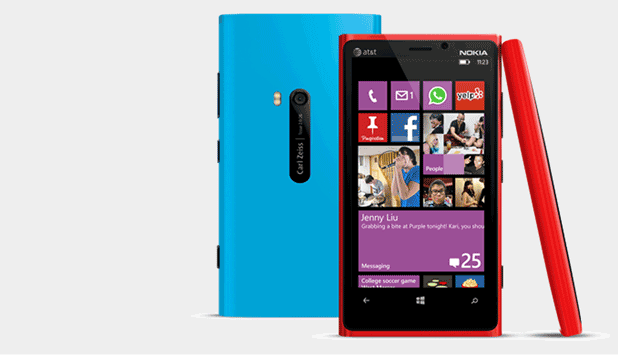
Since the GDR2 and Amber update, most Lumia users will notice a small clock screen appears whenever they lock the device, and they now have the ability to double-tap to wake the phone up. While the double-tap to unlock feature seems useful, the clock may not. A small force or a change in light conditions is enough to wake your screen up and cause it to stay on for another minute. The most annoying thing is that the screen stays on all the time when the phone is being charged. Luckily, you can turn off or change the behavior of this feature.
Access comes with shadowed special effects that enable you to display control borders in various interesting ways. Unfortunately, the Shadowed effect applies only to control borders. You can get the same effect with the text in a label by following the steps in this tutorial.
To help prevent others from accessing your email messages, you can set up your Outlook data file with a password. The steps in this tutorial explain how this is done.
If you have owned a Sony Ericsson phone recently, you have probably seen the My Friends options in the phone. So what is this and how does it work? My Friends can let you have all of your IM clients/buddies in one spot, making chatting more simple.
Firefox 2.0 allows you to restore your sessions after a system crash, but you can adjust this so that it restores your session each time you open the browser. To do this, follow the steps in this Tech-Recipe.
I know I hated seeing my filed or sent email messages in my Messages application on my BlackBerry 8703. This tutorial lets one change that.
In Excel, you can change your data’s appearance based on its value. For example, you could change the color of negative balances in your worksheet to red while positive numbers are black. To do this, follow the steps in this Tech-Recipe.
You can use Dreamweaver to sharpen an image which increases the image’s definition. To sharpen an image, use the steps provided in this tech-recipe.
1...256257258...528Page 257 of 528
error: Content is protected !!