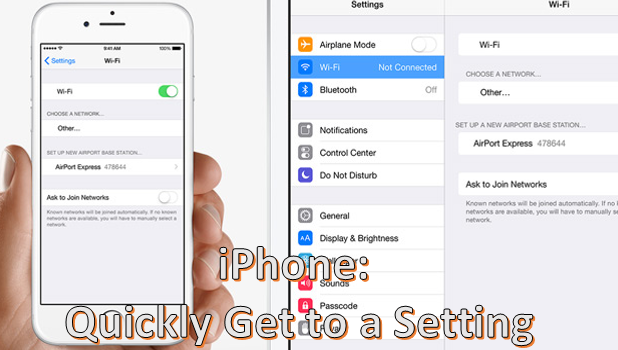
Your iPhone’s Settings option contains features and functionalities that you can set or adjust in order to control your device’s behavior. To make Settings easier to navigate, functions are grouped into options. Each option contains sub-options that are related to each other. Though the phone’s options and settings are optimally organized, one can easily get lost with the vast amount of preferences in Settings. Luckily, there is a way to get to a setting quickly on your iPhone or iPad without going through each option and sub-option. The steps outlined in this tutorial work for iPhone, iPad, and the iPod running on iOS 9.
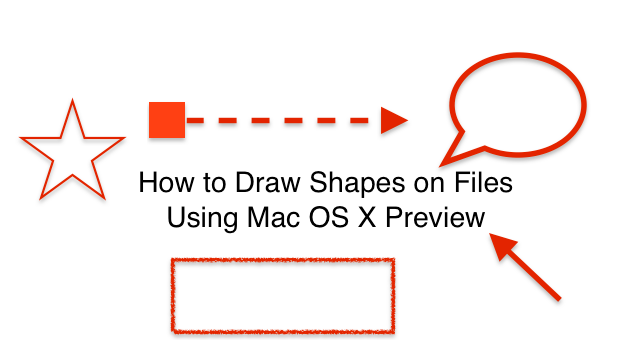
Preview is Mac’s default app for viewing files such as PDFs, JPEGs, PNGs, and most other image files. Preview has tools that allow you to draw shapes such as arrows, stars, and rectangles onto your image. You can even mask or magnify part of your file. This allows you to annotate your file visually.
Google Maps is a powerful tool that is used billions of times a day around the world. Many of us would be literally lost without it. You simply type in where you want to go, and Google Maps gives you multiple options on how to get there using a car, walking, or taking public transportation.
Google Maps has a lot of data and can do so much more than give you directions. You can turn on layers to view traffic conditions, public transit, designated biking lanes, satellite imaging, and topographical terrain data. These layers work on both the web and mobile app versions of Google Maps. This tutorial describes each layer and explains how to use them.
Google Maps is a powerful tool that gets used billions of times a day around the world. Many of us would be quite literally lost without it. You type in where you want to go, and Google Maps will give you multiple options on how to get yourself there using a car, walking, or taking public transportation.
A lesser known feature is that Google Maps will allow you to tweak a route. I use this feature to see how far I ran on my morning jogs around the neighborhood. I definitely do not take the most direct route as recommended by Google Maps, but I can drag the route to match where I ran and get the measured distance. This feature is also handy if you want to plan a detour or lunch break into your road trip plans. Here’s how to customize a route in Google Maps.
Note that this set of instructions is relevant to the web version of Google Maps, not the mobile app version.
Windows Movie Maker is a fairly simple video editing program that comes installed on most Windows computers. The program is free, and it contains all the tools that an entry level video editor needs. This includes the ability to trim and merge video clips and add narration, music, transitions, and effects. If you do not already have Movie Maker or want to update to the current version, you can download here. This tutorial explains how to use Movie Maker to add music to your videos.
Windows Movie Maker is a video editing program that is easy to use and comes installed on most Windows computers. If you do not already have Movie Maker or want to update to the current version, you can download here.
When you are making a movie, adding transitions between clips is important in order to prevent your video from appearing choppy. Fading out to a neutral white or black screen is a simple and unobtrusive way to do this. Movie maker also allows users to fade the audio in or out at the beginning or end of clips to create a more polished final video. This tutorial explains how to fade between clips and how to fade the audio within your videos.
Google Calendar has a lesser-known feature that allows you to compare your calendar with others in order to find a time that everyone has available for a new event. This requires all parties involved to share their calendars, but you can set the permissions so that only your busy/available status is shown and all your calendar details remain private. You can compare up to 20 schedules at once.
Windows Movie Maker is a fairly simple video editing program that comes installed on most Windows computers. The program is free, and it contains all the tools that an amateur video editor needs. This includes the ability to trim and merge video clips and add narration, music, transitions, and effects. If you do not already have Movie Maker or want to update to the current version, you can download here.
Do you need to apply a slow motion effect to your film or speed up your video to create a time lapse video? Movie Maker has a speed adjustment tool that is easy to use and allows you to accomplish either of these tasks. You can slow your movie down to an eighth of its original speed or make it go up to 64 times faster.
You can now convert webpages to PDF on iPhone using a special function in Safari. Whether you want to retain a copy of the webpage in PDF format or use the saved PDF for future reference, converting a webpage to a PDF file is fast and easy. You do not need to use third-party applications or complicated procedures to get the PDF version of the page. This tutorial explains the step-by-step instructions for converting webpages to PDF on iPhone
You have a problem with your iPhone or iPad: The device does not turn on. Though initially this scenario may be bad news for you, it actually may not be that difficult to fix. Before you contact Apple’s customer support, you may want to try some simple steps to troubleshoot on your own. There could be several reasons why your Apple device will not turn on. It could be due to technical defects in the device, but this can be easily solved. Save your time and money by checking out the tips in this tutorial.
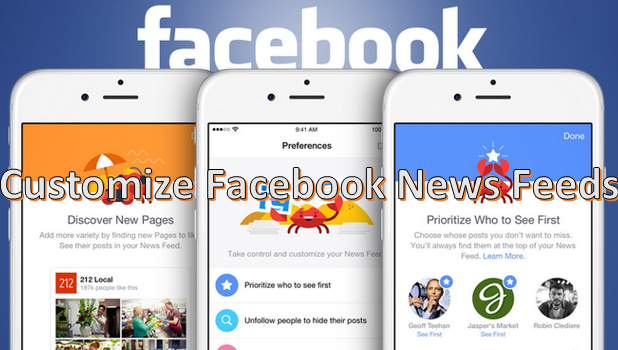
In general, Facebook sorts statuses and updates from people and pages on your News Feed based on the date and time that they are posted. Usually, posts and updates from your friends are shown with the most current ones on top. Though this may seem to be the most plausible way of displaying updates, it may not be the most helpful to some.
In a previous tutorial, I explained how to add text boxes to PDFs using Preview, Mac’s default app for viewing PDFs and other files. Adding notes with Preview is very similar to adding text boxes. The main difference is that notes minimize into a small square. You click on the square to display the whole note. This is useful if you want to annotate a PDF heavily without creating a cluttered document. You have the option to print your PDF with the notes displayed in the margin.
1...195196197...516Page 196 of 516 error: Content is protected !!