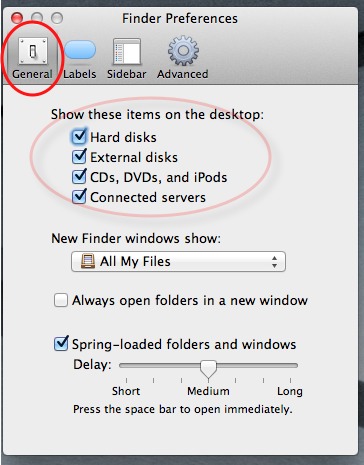
If you want to hide the Hard Disk icon from your desktop so that you can maintain a clean look, follow this Tech-Recipe. These directions are accurate for all modern versions of OS X including 10.7 Lion.
1. Open Finder.
2. Go to Preferences.

3. Select the General tab.
4. Uncheck the Hard disks checkbox.

5. Close the Preferences window.
Update 2/28/2012 —
This continues to work for OS X Lion as well as this screen shot shows: