Are you tired of the small selection of TV shows and movies that your Canadian Netflix account offers? If you follow this tutorial correctly, then you can be streaming US shows and movies on your computer in just a few minutes.
OneNote 2013 introduced the clipping tool which can help you quickly capture the screen, send content to OneNote, or write a note. Although this seems to be a useful feature, it automatically starts with the application and takes up space in your taskbar. Many users will want to disable this feature and to launch the tool only when necessary.
While many programs have the ability to export a part of a video to a gif image file, the quality of the images is often far from acceptable. This tutorial will show you how to get the best quality gif file from video using Photoshop. Continue reading to find out how.
With iOS 6 many users are noticing that Facebook birthday and events are polluting their personal calendars on their iPhones and iPads. By disabling and hiding this data, you can return your calendar to its previous look and feel.
Even if you delete an email from your address box, the Mail application will continue to offer it as an option to you when composing messages. By following these steps, you can convince your mac to forget annoying remembered email addresses.
In Outlook, emails are displayed on a white background without any line separators between them. This makes finding and managing emails difficult. Fortunately, by changing Outlook’s default settings, you can enable the grid lines option. This will improve visibility by allowing you to differentiate between email items more easily.
The pkginfo command lists information about one or more packages installed on a Solaris system. It has a verbose setting to display detailed information about a package which includes the software version number, the number of files and space occupied on disk, and the date of install.
Most software provided for a Solaris system comes in a package. Removing an installed package is easy, but any command associated with “removing” is worth your attention.
The pkginfo command in Solaris is capable of providing detailed information about the packages installed on a system. This tech-recipe describes some of its uses in listing numerous packages.
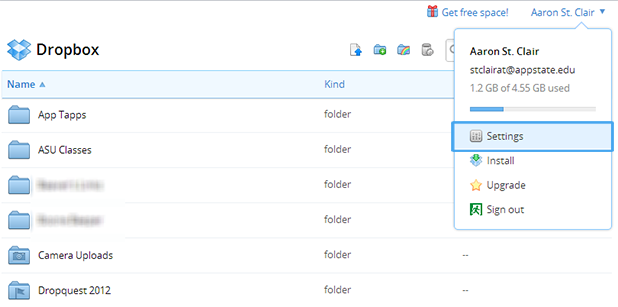
One of the most desired features on Facebook has been the ability to trade files with friends. Exchanging music files, torrents, ebooks or documents within a group is now very simple with the new Dropbox and Facebook integration.
With PowerPoint 2013, one of the most noticeable design tool upgrades is that users can now merge two or more shapes together. This allows you to form custom shapes which cannot be made by simply editing the shape points.
When you add multiple Google accounts to your Android phone, contacts from these accounts will be automatically synced and displayed in the Contact book. Displaying all of these additional contacts can make it hard to manage, search, and organize your contact. Luckily, you can decide to display contacts from only the account of your choice or even mix them together.
1...315316317...525Page 316 of 525 error: Content is protected !!