By default, Outlook’s folder list groups together the inboxes and other similar folders from all mail accounts. If you want your inboxes kept separate, you can disable this feature.
1. Open Outlook.
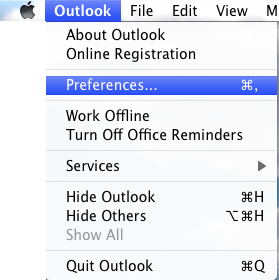
2. Go to the Menu and click Preferences.
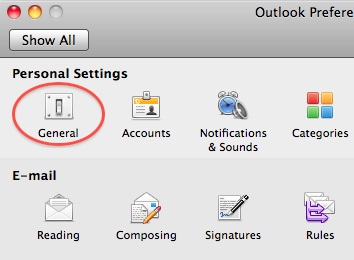
3. Under Personal Settings, select General.
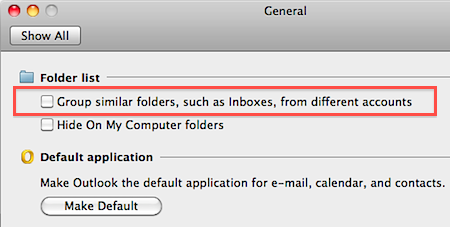
4. Under Folder list, uncheck the Group similar folders, such as Inboxes, from different accounts checkbox.
5. Close the General window.