


Android 4.2 through the Quick Settings panel introduces a new way to centralize all your frequent places and settings. By default, it displays many tasks that are common to most users. However, if you want to rearrange the order of the items and swap the tiles for other settings, this tech-recipes tutorial will be helpful for you.
In case you did not know, accessing the Quick Settings menu is accomplished by using a single finger to pull down on the far right side of the Notification’s bar. Now, here are the steps for tweaking which options appear in the Quick Settings area.
1. Open the app drawer and access the Settings section. In this section, choose System.
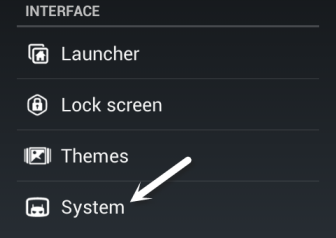
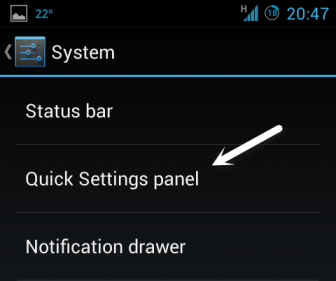
2. Once you are in the System section, choose Quick Settings panel to continue.
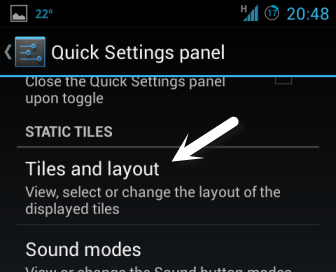
3. Scroll down to the Static tiles section, and tap on Tiles and layout.
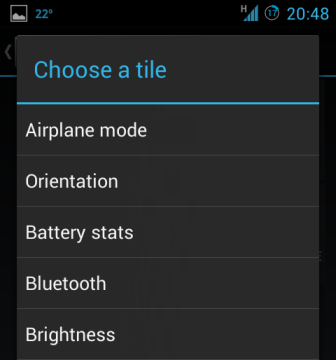
4. You will then be presented with a grid of current tiles in the quick settings panel. To add a new tile, tap Add.
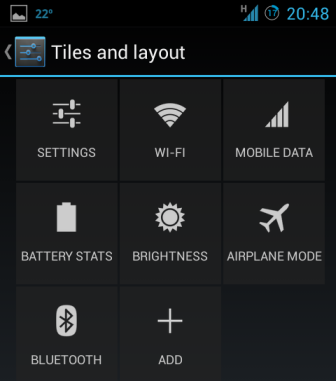
5. Find the tile that you want from the list. On tap, the tile will be added to the panel right away. The list is very long, so you may have to scroll down to find for what you are looking.
6. In addition, if you want to delete unnecessary tiles from the panel, just drag them to the delete tile which is only visible when a tile is dragged. Rearranging the tiles can also be done by drag and drop.

