iTunes allows you to automatically download purchases of Apps, Books, and/or Music to your computer(s) when you purchase them from our iOS device. This feature isn’t enabled by default.
iTunes for Windows:
1. Open iTunes.
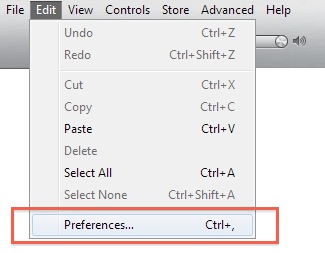
2. Go to the menu, click Edit and select Preferences.
3. Click the Store tab.
4. Under Automatic Downloads, check the desired checkbox(es): Music, Apps, and/or Books.
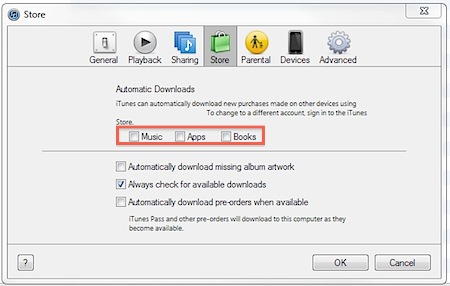
5. Click the OK button.
iTunes for Mac:
1. Open iTunes.
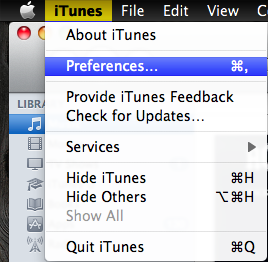
2. Go to the Menubar, click iTunes and select Preferences.
3. Click the Store tab.
4. Under Automatic Downloads, check the desired checkbox(es): Music, Apps, and/or Books.
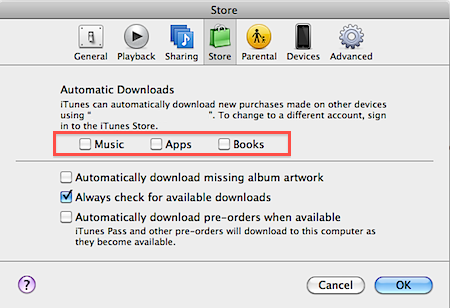
5. Click the OK button.