

If you want to return to an interesting video that you have recently watched, you can follow this guide to find your prior viewing history.
Editor’s Note:
My wife frequently uses this against me. She’ll find my laptop logged into youtube, and she’ll use this feature to see what I’ve recently been viewing on my computer. Doh! 🙂
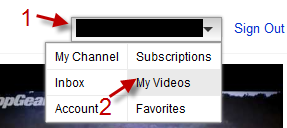
1. Click on your account -> My Videos.
2. Click on History on the left side and you will be able to view your viewing history.
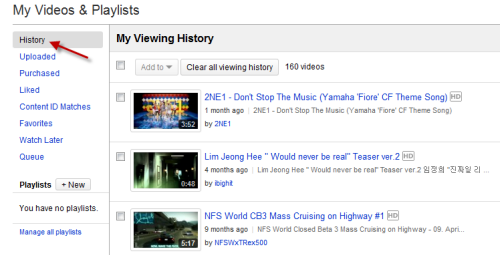
Note: only videos that were viewed with your account will appear in this list.




