XP: Limit Login Access to Specific Times and Days

Contributor Icon Contributed by AlexTheBeast Date Icon February 20, 2004  
Tag Icon Tagged: Windows security

By using this technique you can limit when your children or employees are able to use a system.


I have used this multiple times. Two examples…

My children have personal accounts on our home box and log-in to the internet from these accounts. Using this technique I can make sure that they can only log-in during certain times of the day (as in when I can supervise them.)

Several computers at my office had been getting crazy stuff installed on them at night. Some employees were staying all night surfing and absorbing bandwidth. This technique limits their use to more appropriate hours.

Here are the steps to activate limitations:

1. Click on the Start Menu
2. Click Run
3. Type CMD in the Open textbox and click OK
4. In the command window type:

    net user accountname /times:M-F,8am-8pm; Sa,8am-5pm;Su,8am-1pm

Replace accountname with the name of the account you wish to limit. The time command is a bit tricky, but the above example is easy to replace with the appropriate values. Here’s microsoft’s further information regarding the format of the time command:

    Specifies the times that users are allowed to use the computer. Time is limited to 1-hour increments. For the day values, you can spell out or use abbreviations (that is, M,T,W,Th,F,Sa,Su). You can use 12-hour or 24-hour notation for hours. If you use 12-hour notation, use AM and PM, or A.M. and P.M. The value all means a user can always log on. A null value (blank) means a user can never log on. Separate day and time with commas, and units of day and time with semicolons (for example, M,4AM-5PM;T,1PM-3PM). Do not use spaces when designating times.

Here are the steps to turn off limitations:
1. Click on the Start Menu
2. Click Run
3. Type CMD in the Open textbox and click OK
4. In the command window type:

    net user accountname /times:all


Once again, replace accountname with the name of the account you wish to change.
Previous recipe | Next recipe |
 
  • realtek1
    :D this was perfect; matched my search and solved my problem in less than 5 minutes. Fantastic recipe.
  • RainyHarbor
    Is there a way of limiting the total time a person is online or even on the computer during a 24 hour period? I know that I can use net user to limit the hours you can log onto the net but I'm more interested to limiting my kids to two hours a day at the most. Any suggestions would be greatly appreciated. Right now I'm using a third party software (Child Control) and it isn't working at all and I've followed the instructions numerous times. Thanks for your help.

    Jim
  • Compton
    Ok, heres the story, my younger brother has been getting up from bed at 1 am in the morning to come downstairs and play online games. When i found out because my dad told me he knew how to check user logon times, (Plz could u post a tutorial on how to do that). I was immediately angered and was thinking of a way to restrict him. I believe this is the way to do it. Thank you for your post. Is there a way to check user log in times on Windows XP home edtion. Plz can u tell me.
  • Traci
    I have tried this several times and I am just not able to get it to work. I get a message that the user name is not found or that I have entered an illegal time. :-(
  • MickeyMouse
    <ul id="quote"><h6>Traci wrote:</h6>I have tried this several times and I am just not able to get it to work. I get a message that the user name is not found or that I have entered an illegal time. :-(</ul>

    Are you sure you are using a valid user name?

    Copy the contents of your cmd window here and I'll try to help.
  • guest
    does the net command auto log off
  • Anonymous
    Is there away to limit a person in hours and not spicific times? for exaple only 2 hours a day?
  • Martin
    <ul id="quote"><h6>Anonymous wrote:</h6>Is there away to limit a person in hours and not spicific times? for exaple only 2 hours a day?</ul>

    I do have a program which limits a users acces on a winNT/2K/XP account. It is still under development - no fancy GUI yet :-) It runs as a service and a person will need administrator rights in order to disable it.

    Pricing hasn't been an issue yet but I'll guess EUR 19.95 will be the price for the final product.

    During my research I did find another product which had the same fuctionallity (a then some) - I believe it was called KidWatch or something similar.

    I'll guess I'll have my program up and running at the end of this month (september 2004) or shortly thereafter. The no-GUI version is running at my home with (2 kids and a total 5 computers).

    Feel free to contact me for further information at timelimit_at_zacho_dot_org (no homepage yet either).

    Sincerely,
    Martin Zacho
  • Anonymous
    So what happens if I set the access cut-off time to be, say, 9:00 pm, and the user is logged on? Does the user get any kind of message or are they arbitrarily logged off?

    Kent
  • ray42
    WinXP does not force the user off no matter how you configure the "net user" command. The only functionality provided by this command is that it prevents users from logging on to the computer outside of the time given. Windows Vista and Windows 7 have parental controls that will in fact boot the user off the computer however there are no warning messages at all!
    You may want to try a product such as Piranha Designs Time Monitor which not only prevents users from logging on when you don't want them to but also limits the amount of hours they can use the computer.
    The website is http://www.time-monitor.com
  • Lindy
    Thank you so much!!
  • balagan
    You can set uato logoff in the security policy
  • Anonymous
    I love this site...this is my first visit and I am soooo impressed!

    In respect of the "net user time" command how does one go about enforcing this each time the pc is booted up?

    I have five accounts with different access times and I NEED to enforce the limitation of internet access.

    Regards

    ADC
  • hendergk
    I looking for something to restrict access to certain software program for a limit time period. that is alraedy built into window xp.
  • Anonymous
    <ul id="quote"><h6>Anonymous wrote:</h6>Is there away to limit a person in hours and not spicific times? for exaple only 2 hours a day?</ul>

    Here you can find kidwatch
    https://www.cbsits.com/kidswatch/tc30/TC30_Page...
  • Anonymous
    Thanks this is a great tip.
  • gramps175
    I, too, am unable to get past the dreaded command syntax error. I checked my username with 'net user' (it has spaces in the name) but even using '/times:all' I get 'The syntax of this command is:' and the generic example. Any ideas?
  • blouwagie
    I've been using Enuff for quite a while to limit kid's computer time. It works well if you are willing to live with:
    - You can no longer use fast user switching
    - Whenever you re-install your system you need to recontact enuff, explain what happened to get the install going on the reinstalled system

    Regards
    Bart
  • YoJim
    After I input the formula, DOS comes back with the following:

    [username [password | *] [options]] [/DOMAIN]
    username {password | *> /ADD [options] [DOMAIN]
    username [/DELETE] [/DOMAIN]

    And another question:

    Once you input time and day limits, couln't a savvy user simply change Windows time and/or day to regain access?
  • risherz
    <ul id="quote"><h6>YoJim wrote:</h6>After I input the formula, DOS comes back with the following:

    [username [password | *] [options]] [/DOMAIN]
    username {password | *> /ADD [options] [DOMAIN]
    username [/DELETE] [/DOMAIN]

    And another question:

    Once you input time and day limits, couln't a savvy user simply change Windows time and/or day to regain access?</ul>

    The answer to your first question is here, here and here. All three articles are basically the same but the format is a little different, so I thought I'd just give you the links to all of them.

    And as for your second question. The answer is ... Yes. If the user is smart enough and has access (usually the user doesn't have access) to change things around then it is possible to regain access.

    Hope this helps :D
    Risherz
  • Anonymous
    Does this limit computer logon time? It looks like that is the intent, but it also seems it may be internet access.
  • Anonymous
    Ok, what if I accidentally used the parameters net user accountname /times:

    (Null, which means the account is not allowed to be accesed)

    What if I did this to an admin account, which happened to be the ONLY account on the computer.

    How can I bypass this?

    How can I get an available command prompt during start up so that I can re enter parameter times?

    I know it was dumb to do, but thanks in advance.
  • Anonymous
    <ul id="quote"><h6>Compton wrote:</h6>Ok, heres the story, my younger brother has been getting up from bed at 1 am in the morning to come downstairs and play online games. When i found out because my dad told me he knew how to check user logon times, (Plz could u post a tutorial on how to do that). I was immediately angered and was thinking of a way to restrict him. I believe this is the way to do it. Thank you for your post. Is there a way to check user log in times on Windows XP home edtion. Plz can u tell me.</ul>

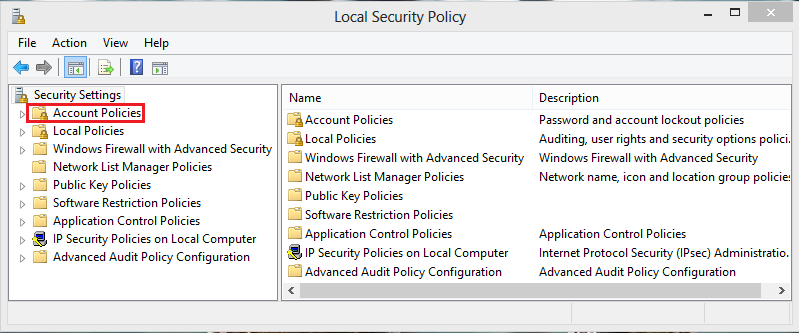
    I don't think you can do this in Windows XP Home Edition. You can in Windows XP Professional and Media Center editions. Logged in as an admin, go to the run box and type secpol.msc. Find you way to local policies/audit policies. You can audit for login or logoff success and failure. But yes, this would probably work to restrict your brother. Even on XP Home I think.
  • Anonymous
    <ul id="quote"><h6>Compton wrote:</h6>how to check user logon times.</ul>

    Event manager
  • alecks
    i have problem i dont know if this tool will fix it or not
    i have domain on windows 2003 .. users can double log ... for example
    Test1 logged on pc1
    and Test1 also logged on pc2
    so 2 ppl use the same user ... how can i disable this ?
  • Niklas
    Hier ist eine gute Alternative zu PC time limit. Mit Windows Board eigenen Mitteln!
blog comments powered by Disqus