

The cameras of many mobile phones have been able to upload high resolution video to YouTube for a while now. With iOS 4.1 Apple brings the uploading of HD video to YouTube to the iPhone party.
In prior versions of the iPhone OS, users were not able to upload HD video straight to YouTube. With iOS 4.1 uploading high resolution video becomes very simple.
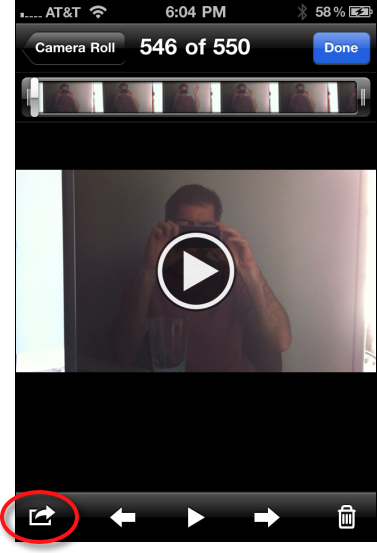
1. Select a video on your device
2. Click the Send icon in the lower left hand corner.
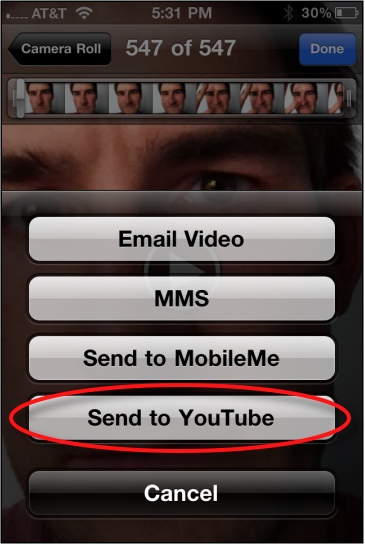
3. Click Send to YouTube button
4. Fill out your YouTube account information and the various fields that describe your video appropriately. Then select the Publish button.




