Vista / Longhorn: Install the Sidebar into Build 5219

Home -> Windows -> Vista

194428 views

From the computer of: davak (390 recipes)
Created: Sep 21, 2005     Updated: Jan 31, 2007


0 comments:
View all comments

Add a comment

Add to:
Add to stumbleuponAdd to del.icio.usDigg itAdd to FURL

The sidebar has been leaked and it works in build 5219. Here are the instructions how to download and install it.

JCXP.net has leaked the sidebar. Here's how to download and install it:

Update:
Here is AlexTheBeast's guide to installing the vista sidebar in XP.


1. Copy and Download the Vista Sidebar from here
2. Unrar the compressed files
3. Copy the Windows Sidebar folder into your Program Files folder. If C is your default Vista drive, the folder should end up here: C:\Program Files\Windows Sidebar
4. Create a Parts folder in your current profile directory. If you are logged in as administrator, for example, your new folder should end up here: D:\Users\Administrator\Parts
5. Copy all the file from \Program Files\Windows Sidebar\Default Parts to this new Parts folder you just created
6. Run \Program Files\Windows Sidebar\sidebar.exe
7. When the sidebar opens, click the plus (+) to load the gadgets.

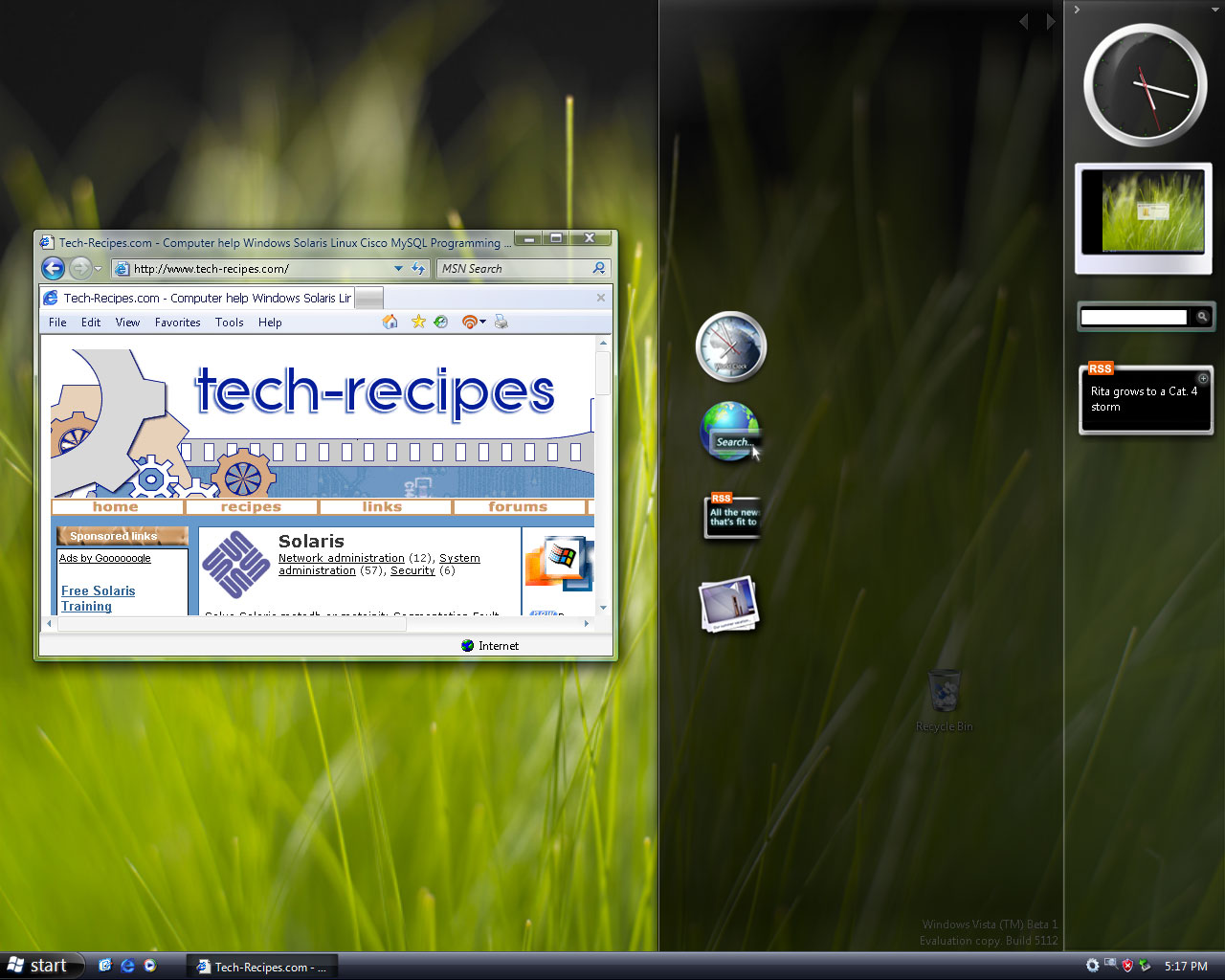
In this version, the included gadgets are the following: slideshow viewer, analog clock, Desktop Search, and RSS reader.

Here are a few of my screenies for you:


Source

Subscribe to the Tech-Recipes Newsletter

You can get tips like this delivered in your email every week!

Enter your Email

We will never, ever sell your email address or spam you.


Related recipes:

  Install the Vista / Longhorn Sidebar into XP
  Vista Beta 2 Build 5308: Enable the Sidebar and Gadgets
  Add Vista Gadgets Directly to the Desktop Without a Visible Sidebar
  Vista: Place the Windows Sidebar on Another Monitor
  Vista / Longhorn: Transparency Glass Effect Screenshots and Examples
  Make XP look like Windows Vista / Longhorn for free!
  Vista: Lock Down the Windows Sidebar
  Vista: Add Shortcuts to Favorite Links Sidebar in Explorer
  Vista: How to Uninstall Vista on Dual Boot Machine
  Vista Install Error: IRQL_NOT_LESS_OR_EQUAL


Sponsored links


Login

Nickname

Password

Don't have an account yet? You can create one. As a registered user you have some advantages like theme manager, comments configuration and post comments with your name.