


These methods provide easy ways of inserting the date and time into any Word document.
Inserting the time and date is one of the most common activities in a Word document. This works the same way in the Windows (2007, 2011) and Mac (2008, 2011) versions.
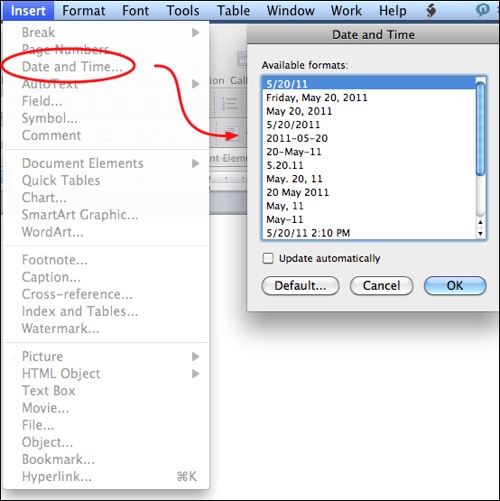
Menu Method
1. Go into the Insert menu
2. Select Date and Time
3. Select the format you wish
4. Press OK to insert
Shortcut Methods
ALT-SHIFT-D – Inserts Current Date at Cursor
ALT-SHIFT-T – Inserts Current Time at Cursor




