

Recently several of us have been testing the Xperia X10 devices. We have all been wondering how to perform a Soft or Hard Reset on this device without losing data. How do I reboot the X10? This is what we have finally discovered.
Soft Reset —
First of all, Sony Ericsson has informed us that you cannot perform a soft reset on the Xperia X10 series of devices. It is just not a function that is included.
Hard Reset vs Factory Reset —
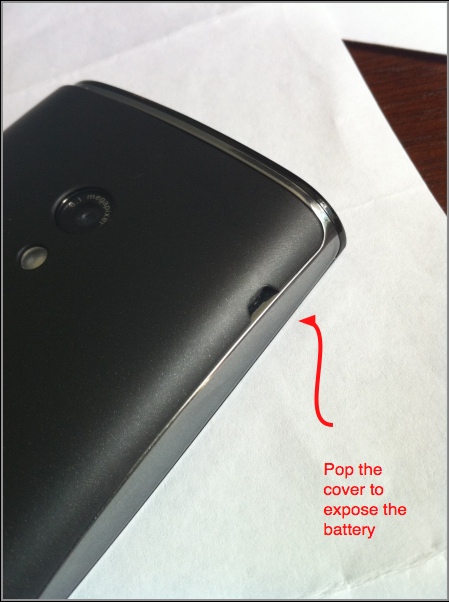
In contrast to the terminology used by many mobile phone companies, most Android devices consider a Hard Reset and Factory Reset to be the same thing. If you are looking for a way to reboot your X10 without losing your data, you can pull your battery out and re-power the phone to force the OS to restart.
Factory Reset or Device Wipe —
We have separate directions for doing a complete factory reset and device wipe. By doing a factory reset you will lose all the information on your device.




