


Android phones often come with extra apps from phone manufacturers. Not all of these apps are necessary, and they often run in the background and consume your battery life. Luckily, you can get rid of them by following the steps in this tutorial.
Please note that, in order to use this tutorial, your phone must be rooted. Since ICS, Android has had the ability to disable system apps. However, many of those apps cannot be disabled using that method. Fortunately, this solution will help you get rid of those apps quickly.
Deleting system apps may make the phone unstable. Please be sure that you are deleting the right files. If you are not sure, just rename the file’s extension so that you can restore them later.
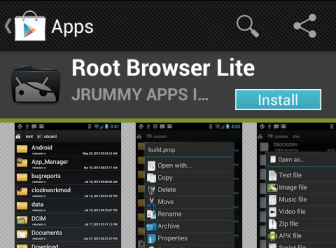
1. Launch the Play Store app on your phone. Search for the Root Browser app, and install it.
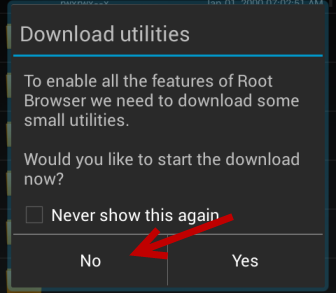
2. Launch the newly installed app. You will be asked to download the extra utilities to enable all the features of the app. It is recommended that you download these utilities; however, it is okay to skip it by tapping on No.
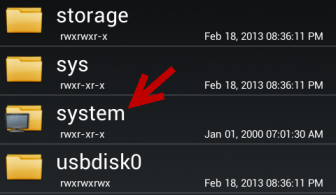
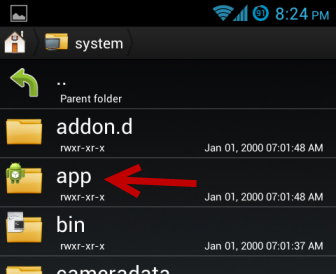
3. At first launch, you are already in the root folder. Just navigate to system -> apps. The apps folder contains all the apk files for installed applications on your phone.
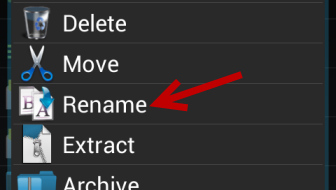
4. Find the apk file of the program you want to delete. Long press on it to open the context menu, and then choose Delete or Rename. In this tutorial, I will just rename the extension of the file to something else (apk to bak) so that the file will not be recognized at all. By doing this, I can restore it later if the system acts weird.
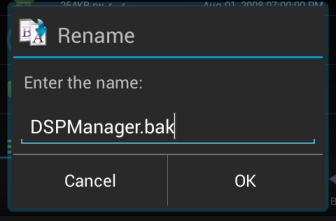
5. When you are done, tap OK to save the change.
6. The app will then be removed from the app drawer. If it is still listed in the app drawer, please restart your phone.





