

Creating your personal vibration pattern on your iPhone is easy. No jailbreak required.
Just as you can assign custom sounds and ringtones to events, you can set custom vibration patterns as well. For example, you may set low importance notifications from Twitter and Facebook to one vibration pattern while setting text messages to a different one. Just from the vibration you will be able to prioritize the notification without pulling the iPhone out of your pocket.
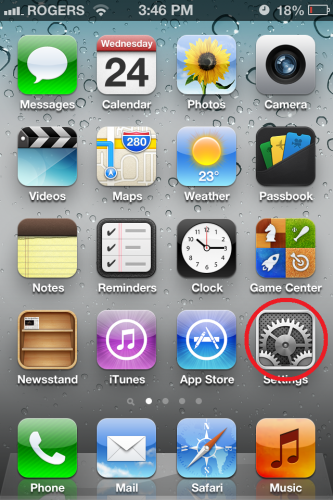
1. Launch the settings app from your spring board.
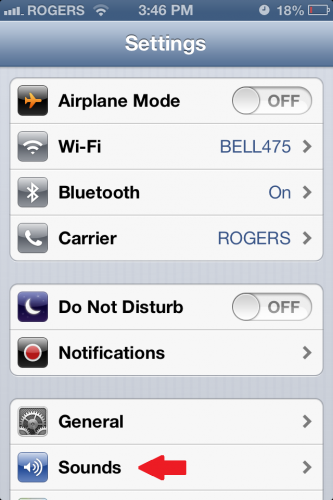
2. From the settings app select the sounds option.
3. Under “Sounds and Vibration Patterns” select ringtone.
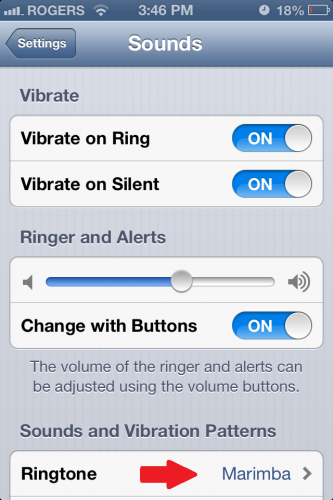
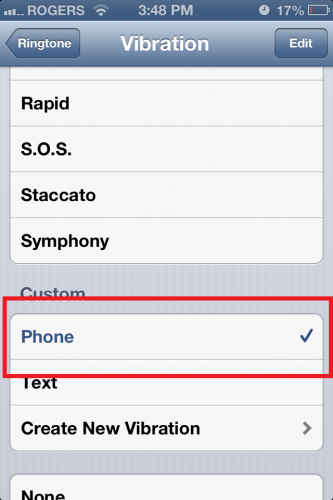
4. Open the Vibration option at the very top.
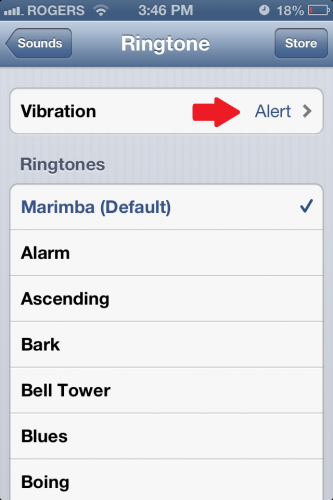
5. Scroll down and select the “Create New Vibration” option.
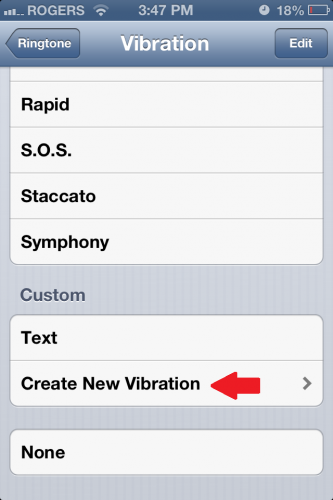
6. Now follow the on-screen instruction to create your vibration.
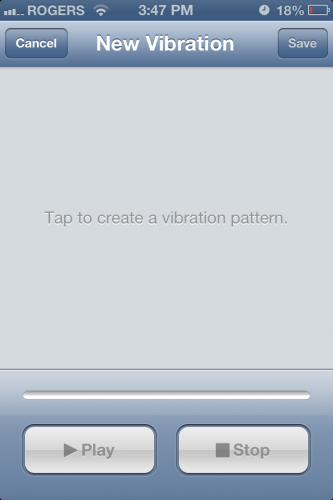
Tip: Hold down your finger for the parts that need to vibrate in your pattern, and let go for the silent ones.
7. After you are happy with the vibration pattern which you created, press “Stop” and then “Save”
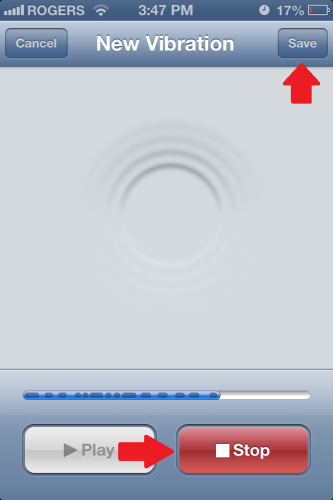
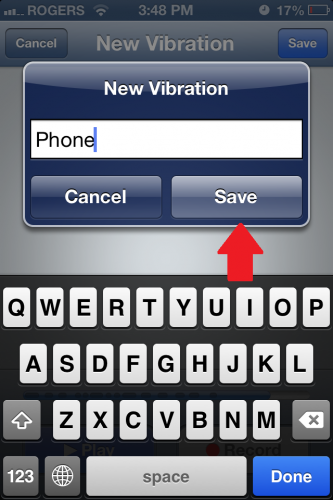
8. Name your vibration and you’re done.
If you do not have these options, be sure that your device has been updated to the latest version of iOS.





