


This recipe explains how to remove/modify the footer when you print or publish to PDF/XPS in Onenote 2007.
In Onenote 2007, go to File > Print Preview

Then in the print preview window, click the drop down on the right side under Footer. You have four options:
-(section name) (number)
-Page (number)
-(section name)
-(none)
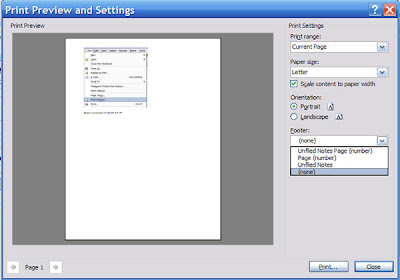
Choose your option and click the Close button.
Now when you Publish as PDF or XPS or print, the footer will be to your liking. 🙂




