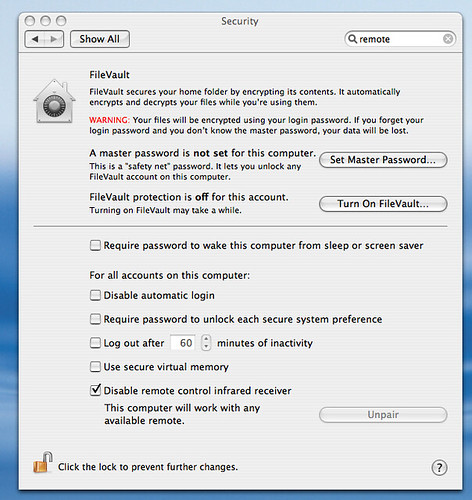
Tired of your remote control changing the volume on every apple device in your house? For example, mightyQ’s apple TV remote is turning down my MBP volume as I type! Here is how to disable the apple remote control from OS X.
Apple remotes are universal — universal to every apple device around. If you do not use your remote with your computer, just disable the remove control from controlling your system.
1. Open System Preferences
2. Click Security under the Personal category
3. Check Disable remote control infrared receiver