It is always frustrating to be in the middle of a good gaming session and to have the avast! antivirus application popup a message regarding an update. You can stop avast! (both the Home and Professional editions) from displaying popup messages while you are running a game by following these steps.
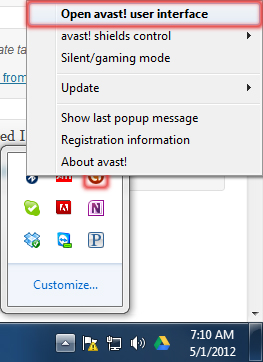
Right-click the avast! notification icon in the System Tray and select Open avast! user interface.
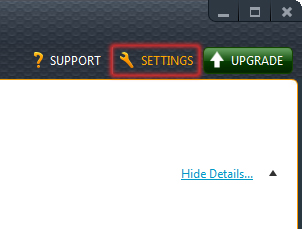
When the user interface loads, click the Settings button in the top right corner of the window.
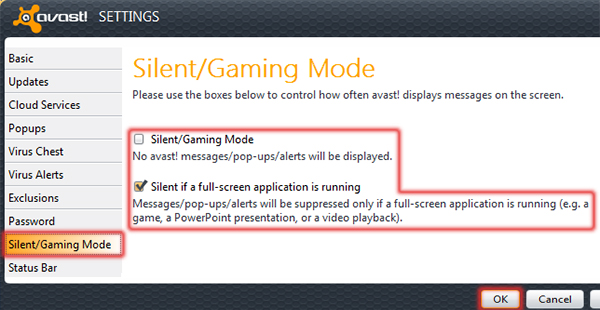
In the Settings window, click Silent/Gaming Mode. Choose between Silent/Gaming Mode and Silent if a full-screen application is running (which will usually restrict the popups only while gaming). Click the OK button once you’ve made your choice.