

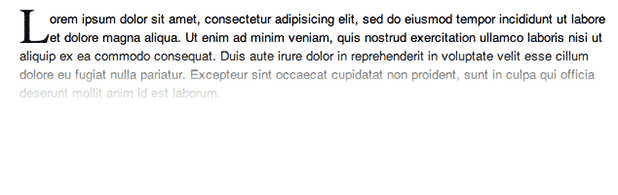
Drop caps are those giant letters that begin the first paragraph of a chapter or document. They get your readers attention by standing out and demanding focus. Continue reading to learn how to add a drop cap to a paragraph in Word 2007 or 2010. If authors have been using this since the 7th century, shouldn’t you know how to do it too?
A drop cap is when the size of the initial letter of the paragraph is exaggerated. Thus, this letter drops down into the lines of text below it. Since the earliest days of the written word, drop caps have been used to break the mundanity of a large block of text.
When and where a drop cap should be used is completely a matter of taste and style. By following these steps, you can add this weapon to your text styling collection. These steps have been testing in both the 2007 and 2010 versions of Microsoft Word.
Add the Drop Cap
1. Highlight the paragraph that will contain the drop cap.
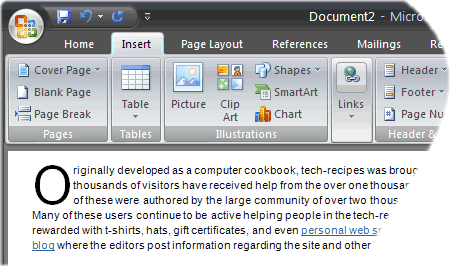
2. Click the Insert tab.
3. In the Text section, click Drop Cap.
4. Select either Dropped or In margin.
Remove the drop cap:
1. Highlight the paragraph that will contain the drop cap.
2. Click the Insert tab.
3. In the Text section, click Drop Cap.
4. Select either None.





