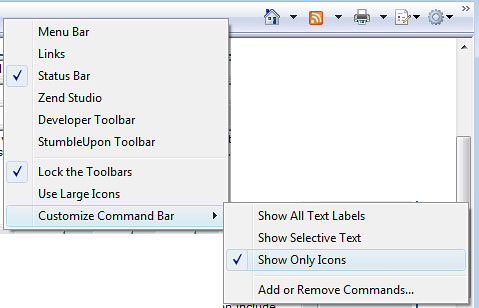
The toolbar of IE7 gets very minimal and removes most of the text; however, for some reason, the “page” and “tools” text remains. Here is how to get rid of it.
To me, text on the toolbar seems silly. Why use icons and then include the text too. Here is how to get rid of that residual text.
Before:

After:

Instructions:
1. Open IE7
2. Right-click on a blank area of the toolbar
3. Select Customize Command Bar
4. Select Show Only Icons