

A buddy of mine was shocked when his addition of vista business did not include any games. Well, they are there, but they are just hidden. Here are the steps to access and unhide the games in Vista Business.
Business is business–except when it is not. Business people need their little games too. Here is how to find them in vista business edition:
1. Click Start
2. Click Control Panel
3. Click Programs
4. Click Programs and Features
5. Select Windows features on or off from the left column
6. Accept the UAC
7. Check the Games checkbox
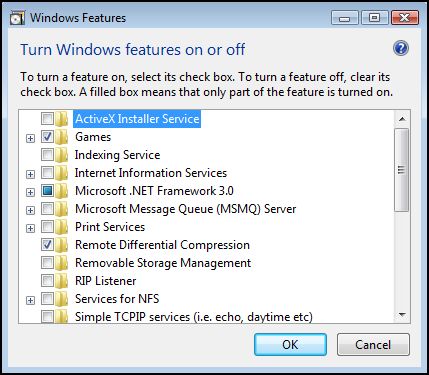
8. Hit OK




