

By default, when you open a new tab in IE9, a new about:tabs page which displays your most popular sites will appear. If you do not like to see it everytime, you can configure IE9 to open a blank page for you.
1. Launch IE 9.
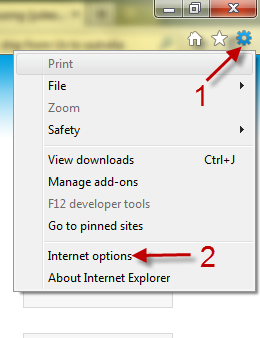
2. Click the small gear icon on the top right -> Internet Options.
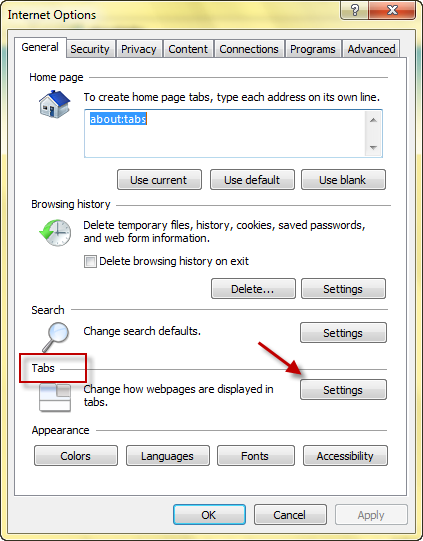
3. Click the Settings button under Tabs.
4. In the Tabbed Browsing Settings window, choose A blank page from the When a new tab is opened, open: menu.
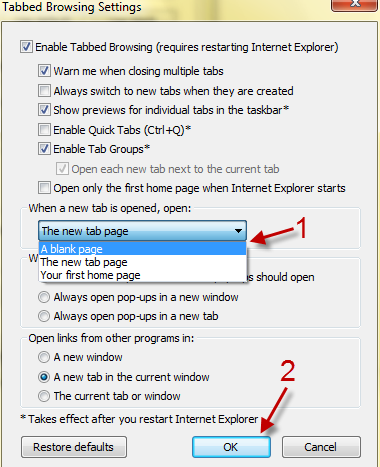
5. Hit OK to save and then close the remaining Options window(s).




