
IE 9: Use toolbars and extensions in InPrivate mode

When using IE9 in InPrivate mode, all toolbars and extensions will be disabled by default. However, you can tell IE to allow those toolbars and extensions to run if you find it neccessary.

1. Launch IE 9.

2. Click on the small gear icon -> Internet Options.
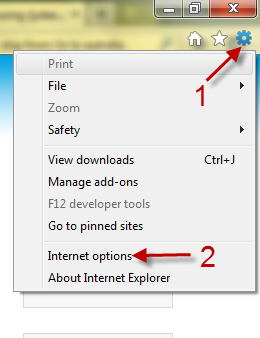
3. When it the Internet Options window, switch to Privacy tab.
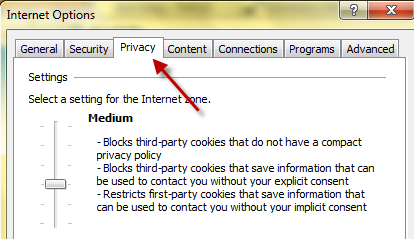
4. Uncheck Disable toolbars and extensions when InPrivate Browsing starts under InPrivate section,
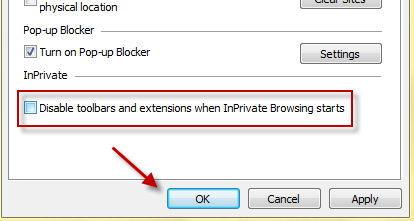
5. Hit the OK button to save the setting.


 

About Lê Hoàng

When not creating exciting new Android games, Lê Hoàng is here crafting tutorials, tweaks, and fixes for your enjoyment.
View more articles by Lê Hoàng

The Conversation

Follow the reactions below and share your own thoughts.

Leave a Reply

You may also like-

IE8 and IE9: Shortcut for Always Opening in InPrivate ModeBy adding a simple command line switch to a shortcut, you can easily open Internet Explorer directly in the protective InPrivate mode without having ...


