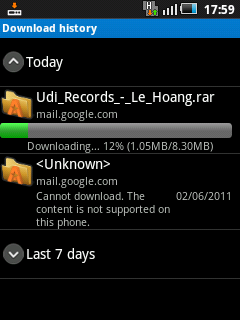
One really weak point of the Android Browser is that you can not download files that are not supported by the device from the Internet. This can be really annoying when you need to download a file or an attachment while on the go. Luckily, we can fix it easily by using Astro File Manager.
Sometimes, when you download files from the internet on your Android phone, you may be welcomed by this following screen:
Download unsuccessful. Cannot download. The content is not supported on this phone.
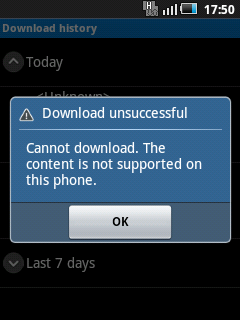
By forcing Android to use an alternative file manager, we can bypass this issue and download almost any file type.
1. Download and install Astro File Manager from the Android Market.
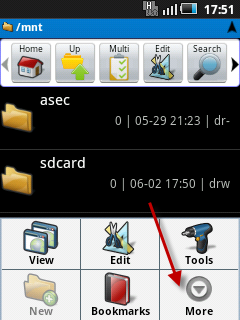
2. Launch Astro File Manager, press the menu button and choose More.
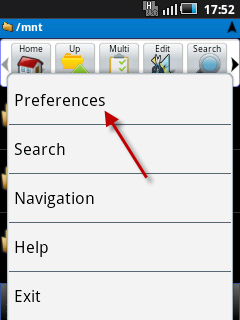
3. Choose Preferences.
4. In Preferences, find and check Enable Browser Download.
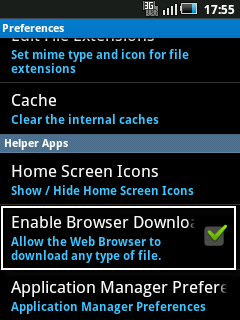
5. You can now download the unsupported file formats from the Android Browser.