Yahoo Mail: How to Change Theme

If you do not like the default theme in Yahoo Mail, you can follow this tutorial to change it.

Customizing Yahoo Mail is fun and helps to prevent email boredom.

Yahoo Mail default theme:
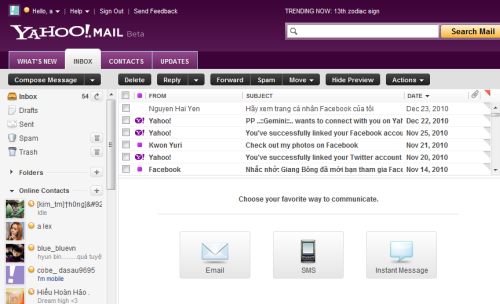
To change theme:

1. Log in to your Yahoo Mail.

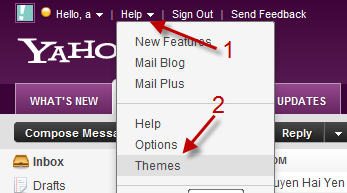
2. Left click on Help->Themes.
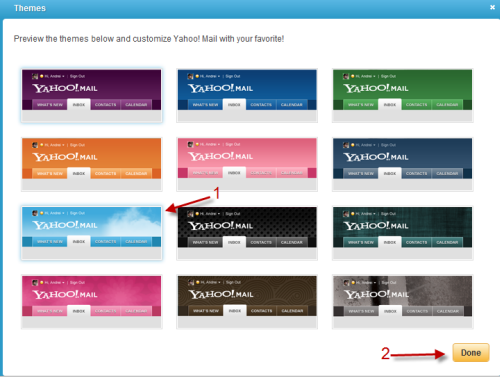
3. In the pop up window, you can click on the theme to preview. Hit Done to save the theme.
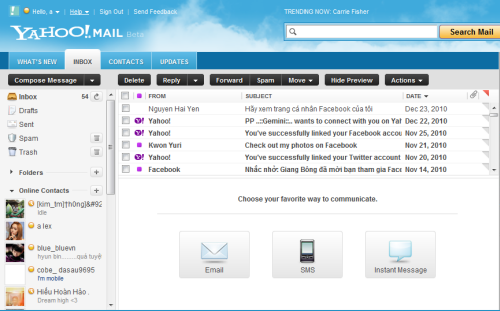
Note: Apply to Yahoo Mail Beta.

 

About Lê Hoàng

When not creating exciting new Android games, Lê Hoàng is here crafting tutorials, tweaks, and fixes for your enjoyment.
View more articles by Lê Hoàng

The Conversation

Follow the reactions below and share your own thoughts.

One Response to “Yahoo Mail: How to Change Theme”

  1. November 11, 2011 at 9:42 am, prasad said:

    oh thanks for your help so kind of you……..

    Reply

Leave a Reply

You may also like-

Windows Live Messenger 2011: How to Change ThemeAre you tired of Windows Live Mail 2011 default theme? This tutorial will show you how to change the theme or create a custom ...