

The menu bar is turned off in WLM 2011 by default. This step by step guide shows how to display the menu bar in both the main window and the chat window.
To display the menu bar in main WLM window:
1. Sign in to your account.
2. Left click on your name.
3. Choose Show the menu bar. After that, the menu bar will appear by default.
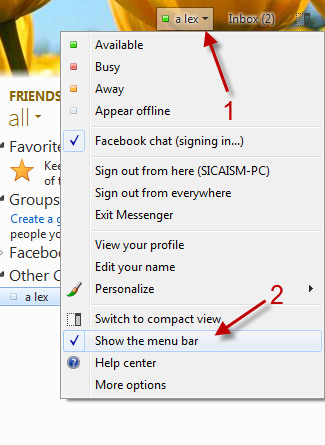
To display the menu bar in chat window:
1. When you are in, open a new chat window.
2. Click on the small arrow->Show the menu bar.
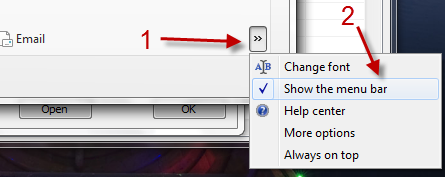
3. From now on, the menu bar will appear in chat window by default.




