

When you connect Facebook with Windows Live Messenger 2011, your status in WLM will be automatically published to Facebook. If you don’t like it, here is how to turn that feature off.
1. Log in to your account.
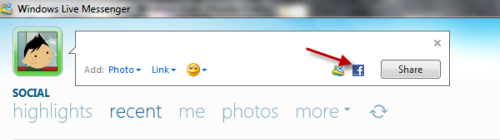
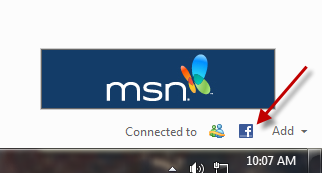
2. Click on status field and choose Facebook icon. You can also click on Facebook icon at the bottom of WLM’s user interface.
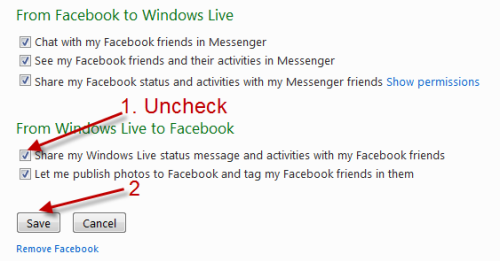
3. In Edit Facebook settings page, uncheck Share my Windows Live status message and activities with my Facebook friends and hit Save.
4. Close the webpage. It may take a few minutes for the update to show up on your profile.




