

By enabling the use of the volume buttons to navigate articles from your subscribed RSS feeds, you can easily make your way through all of that unread material with just one hand, no need to use the onscreen buttons.
1. Open Google Reader for Android on your device.
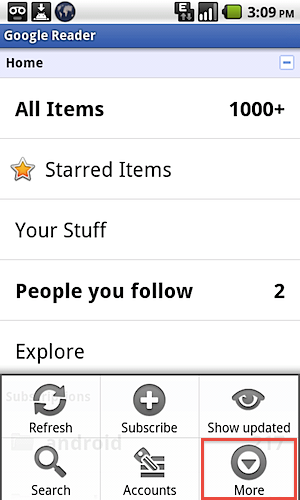
2. Tap the device’s Menu button.
3. Select More.
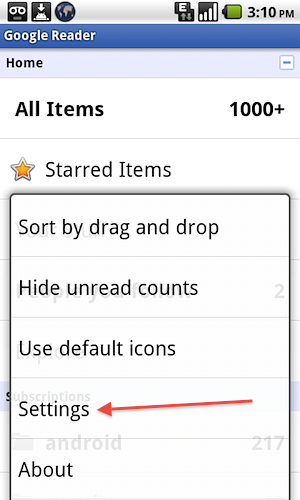
4. Select Settings.
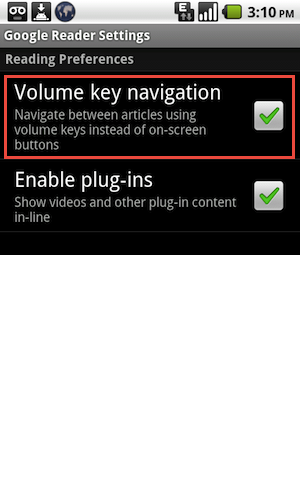
5. Check the Volume key navigation checkbox.
6. Select the Back button to get out of the Settings.
Now when you are reading articles, just use the volume buttons to go to the previous (up) or next (down) article.




