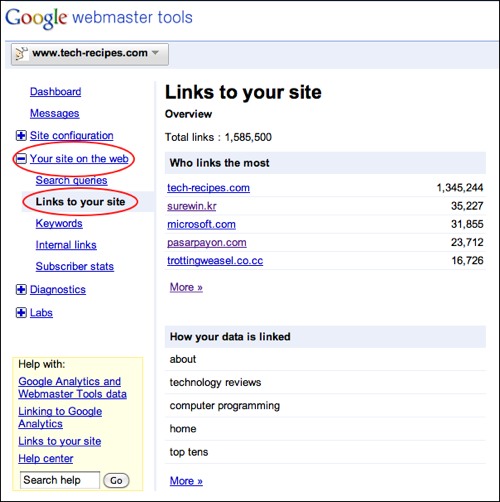
Who is linking to your website?

Home -> Internet -> Google

7785 views

From the computer of: davak (396 recipes)
Created: Sep 16, 2003     Updated: Jul 17, 2004


0 comments:
View all comments

Add a comment

Add to:
Add to stumbleuponAdd to del.icio.usDigg itAdd to FURL

Use Google to find out who is linking to pages within your website.

To find out who is linking to your web page, type the following into Google:
link: www.yourwebaddress.com

For example, this will show you all the pages that link to slashdot.org:
link: www.slashdot.org

Subscribe to the Tech-Recipes Newsletter

You can get tips like this delivered in your email every week!

Enter your Email

We will never, ever sell your email address or spam you.


Related recipes:

  Google Analytics: See the Full Referrer Path
  Easy Way to Embed and Customize Google Map without Using the API
  View your website as Google will
  Matt Cutts of Google Discussing SEO: Session 3
  GMail Notifier for XP and OSX and integration with Google Talk
  Google: Search Aimini.net for Free Music and Videos
  Google Chrome: Make Any Website a Web Application
  Google: Search through Sprint PCS Pictures and Videos
  Google: Find Free MP3s, WMAs, OGGs, and Other Music Files
  Google Calendar: Receive Event Notifications through SMS


Sponsored links


Login

Nickname

Password

Don't have an account yet? You can create one. As a registered user you have some advantages like theme manager, comments configuration and post comments with your name.